
AI Automation Tools for Small Business: 7 Proven Choices
What if your small business could handle repetitive tasks while you focus on customers and growth?
That is where AI automation tools for small business can make a real difference.
Small business owners often wear many hats. You may handle emails, customer questions, social media, invoices, appointments, and marketing yourself.
That workload can quickly become overwhelming.
Fortunately, AI can now automate many routine tasks. You do not need a large team or expensive technology to get started.
In this guide, we will look at seven practical ways small businesses can use AI automation. You will also learn what to look for before choosing a tool.
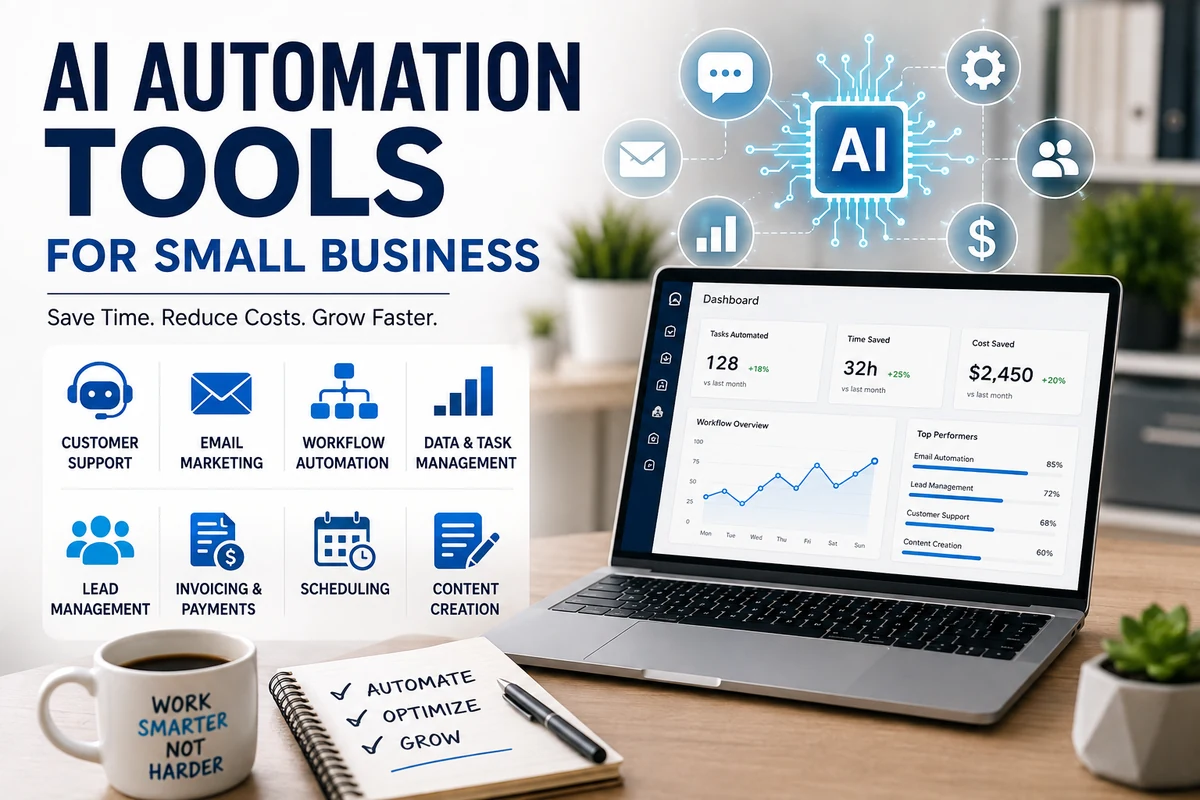
Table of Contents
- What Is AI Automation?
- Why Small Businesses Need AI Automation
- 7 AI Automation Tools and Use Cases
- How to Choose the Right AI Tool
- Common Mistakes to Avoid
- How to Start With AI Automation
- Frequently Asked Questions
What Is AI Automation?
AI automation combines artificial intelligence with automated workflows.
Traditional automation follows fixed instructions.
AI can go further.
It can understand text, classify information, generate content, summarize conversations, and assist with decisions.
For example, imagine a customer sends an email asking about your opening hours.
Instead of manually answering every message, an AI system can recognize the question and provide an appropriate response.
Similarly, an online store could automatically organize customer inquiries and send common answers.
The goal is not to replace every human task.
Instead, the goal is to remove repetitive work so you can spend more time on valuable activities.
Why Small Businesses Need AI Automation
Running a small business takes time.
Unfortunately, many owners spend hours on tasks that do not directly generate revenue.
Think about replying to routine emails.
Then consider scheduling appointments, creating social posts, organizing leads, and writing follow-up messages.
Each task may take only a few minutes.
Together, they can consume several hours every week.
That is why AI automation can be useful.
Save Valuable Time
Automation can handle repetitive processes without requiring constant manual input.
For example, a business could automatically send appointment reminders.
As a result, the owner can focus on customers instead.
Reduce Repetitive Work
Nobody enjoys copying information between different systems.
AI-powered workflows can move information from one platform to another.
This can reduce unnecessary manual work.
Improve Customer Response Times
Customers often expect quick replies.
An automated system can respond to common questions immediately.
However, complex issues should still reach a real person.
Support Business Growth
A small team has limited time.
Automation can help the same team handle more routine work.
Therefore, businesses can potentially grow without increasing every administrative task.
7 AI Automation Tools and Use Cases
There are many tools available today.
However, the best choice depends on your business and workflow.
Here are seven practical areas where automation can help.
1. AI Customer Support
Customer support is one of the easiest areas to automate.
Businesses receive many repetitive questions.
Customers may ask about prices, delivery times, opening hours, returns, or product features.
An AI chatbot can answer common questions instantly.
More complicated conversations can then be transferred to a human employee.
This approach can save time while keeping customers supported.
However, businesses should always review automated responses.
Incorrect information can create a poor customer experience.
2. Automated Email Marketing
Email marketing can take a surprising amount of time.
You need to write emails, organize subscribers, create follow-ups, and monitor results.
AI can assist with many of these tasks.
For example, an online store could automatically send:
- Welcome emails
- Product recommendations
- Abandoned-cart reminders
- Follow-up messages
- Customer surveys
- Promotional campaigns
AI can also help create subject lines and draft email copy.
Still, your brand voice should remain human.
Customers do not want every message to sound like it came from a robot.
Internal Link Suggestion: Add an internal link here to your article about Best Email Marketing Tools for Beginners.
3. AI Social Media Automation
Social media can become a full-time job.
Small businesses often struggle to publish consistently.
AI can help generate content ideas, captions, content calendars, and basic posts.
Automation tools can also schedule content ahead of time.
For example, a local business could prepare a week’s worth of social posts on Monday.
The posts can then publish automatically throughout the week.
This saves time and creates a more consistent online presence.
However, do not automate everything.
Comments, complaints, and important customer conversations still need human attention.
4. Lead Management and Follow-Ups
Leads are valuable.
Unfortunately, businesses often lose potential customers because nobody follows up.
AI automation can help organize leads and trigger follow-up messages.
For example, someone fills out a contact form.
The system can automatically:
- Save the customer’s information.
- Categorize the lead.
- Send a confirmation email.
- Notify the sales team.
- Schedule a follow-up reminder.
This creates a smoother process.
More importantly, it reduces the chance of forgetting a potential customer.
5. AI Bookkeeping and Invoicing
Financial administration takes time.
Small businesses may need to create invoices, categorize transactions, and track payments.
AI-powered accounting software can help automate parts of this process.
For example, software may categorize transactions or identify unusual entries.
It can also help generate invoices and payment reminders.
However, financial automation requires care.
Always review important financial information before submitting taxes or making major decisions.
Internal Link Suggestion: Add an internal link here to your article about Best Accounting Software for Small Businesses.
6. AI Meeting and Task Automation
Meetings often create another problem.
You have a conversation.
Then someone has to remember what was discussed.
AI meeting assistants can help by creating transcripts, summaries, and action items.
For example, after a 30-minute team meeting, an AI tool can produce a short summary.
It may also identify tasks and deadlines.
That means employees spend less time writing notes.
More importantly, everyone can quickly understand what needs to happen next.
7. AI Content and Document Automation
Content creation is another area where AI can save time.
Small businesses need many types of content.
That includes:
- Blog posts
- Product descriptions
- Social media captions
- Email drafts
- FAQs
- Business documents
- Marketing ideas
AI can help create first drafts quickly.
However, you should always review the final content.
Add your own experience, examples, opinions, and brand personality.
That extra human touch can make the content more useful and trustworthy.
How to Choose the Right AI Automation Tool
You do not need ten different tools.
In fact, using too many platforms can make your business more complicated.
Instead, start with one repetitive problem.
Ask yourself:
What Task Takes the Most Time?
Maybe you spend hours answering customer emails.
Perhaps you manually schedule appointments.
Or maybe your team spends too much time creating reports.
Find the biggest time-consuming task first.
Does the Tool Integrate With Your Existing Software?
This is an important question.
A tool may look impressive.
But if it does not work with your current systems, implementation can become frustrating.
Check whether it supports the platforms you already use.
Is the Pricing Reasonable?
Do not buy expensive software simply because it has many features.
Start with the basic plan if possible.
Then measure whether the tool actually saves time or improves results.
Can You Scale With It?
Your business may grow.
Therefore, choose software that can handle more customers, users, or tasks later.
Changing systems every few months can become expensive.
Common AI Automation Mistakes
AI can be powerful.
But poor implementation can create new problems.
Automating Everything
Not every task needs automation.
Some customers want to speak with a real person.
Therefore, keep human support available for important situations.
Ignoring Accuracy
AI can make mistakes.
Never assume every generated answer is correct.
Review important information before it reaches customers.
Using Too Many Tools
More software does not always mean better results.
Start small.
Master one workflow before adding another.
Forgetting Data Privacy
Business systems may contain sensitive information.
Before connecting a tool, review its privacy policy and security practices.
Do not upload confidential information without understanding how the platform handles it.
How to Start With AI Automation
You do not need a complicated strategy.
Start with one simple workflow.
For example:
Step 1: Choose one repetitive task.
Step 2: Measure how much time it takes each week.
Step 3: Find an AI tool that can help automate it.
Step 4: Test the tool with a small workflow.
Step 5: Review the results.
Step 6: Improve the process.
Step 7: Move to the next repetitive task.
Suppose you spend five hours every week answering the same customer questions.
An AI support system might reduce that workload.
Now you have several hours available for sales, marketing, or customer relationships.
That is the real value of automation.
How AI Automation Can Help Different Businesses
Different businesses can use AI in different ways.
Online Stores
E-commerce businesses can automate customer questions, product descriptions, email campaigns, and order updates.
Freelancers
Freelancers can automate proposals, appointment scheduling, invoices, and client follow-ups.
Local Businesses
Restaurants, salons, repair shops, and other local businesses can automate appointment reminders and customer messages.
Real Estate Businesses
Real estate professionals can use automation for lead follow-ups, appointment scheduling, and content creation.
Small Agencies
Marketing agencies can automate reporting, content drafts, project updates, and client communication.
The best workflow depends on the business.
Therefore, start with your actual problem instead of copying another company’s setup.
Frequently Asked Questions
What are the best AI automation tools for small business?
The best tool depends on your specific needs.
Customer support, email marketing, accounting, lead management, and content creation all require different solutions.
Start with the task that consumes the most time.
Can AI automation save small businesses money?
Yes, it can reduce time spent on repetitive tasks.
However, savings depend on the workflow, tool cost, and how effectively the system is implemented.
Is AI automation difficult for beginners?
Many modern tools are designed for non-technical users.
However, some workflows require more setup than others.
Start with a simple process before attempting complicated automation.
Can AI replace employees in a small business?
AI can automate certain repetitive tasks.
However, it does not replace the value of human judgment, creativity, relationships, and customer service.
A better approach is often to use AI to support employees rather than replace them.
How much does AI automation cost for a small business?
Costs vary widely.
Some tools offer free plans, while advanced business software can cost much more.
Always compare the expected time savings with the monthly cost.
Final Thoughts
AI automation is no longer limited to large corporations.
Small businesses can use it to save time, improve customer service, and simplify repetitive work.
The key is to start small.
Do not purchase every AI tool you see.
Instead, identify one frustrating task and find a tool that can make it easier.
Then measure the results.
If it saves time and improves your workflow, expand from there.
The right AI automation tools for small business can become valuable partners in daily operations.
But remember one thing.
Automation should make your business more human, not less human.
Use AI for repetitive work.
Use people for relationships, judgment, creativity, and important decisions.
That balance can help you build a more efficient business without losing the personal touch that customers value.