
Free AI Video Generator: 10 Best Tools with Free Credits (2026 Guide)
Have you ever spent hours searching for an AI tool that promises free credits, only to discover you get one short video and then hit a paywall? You’re not alone.
Many YouTube creators face the same problem. The good news is that several AI platforms still offer free credits, daily tokens, or trial generations that let you create thumbnails, animations, B-roll, and even short AI-generated scenes before upgrading.
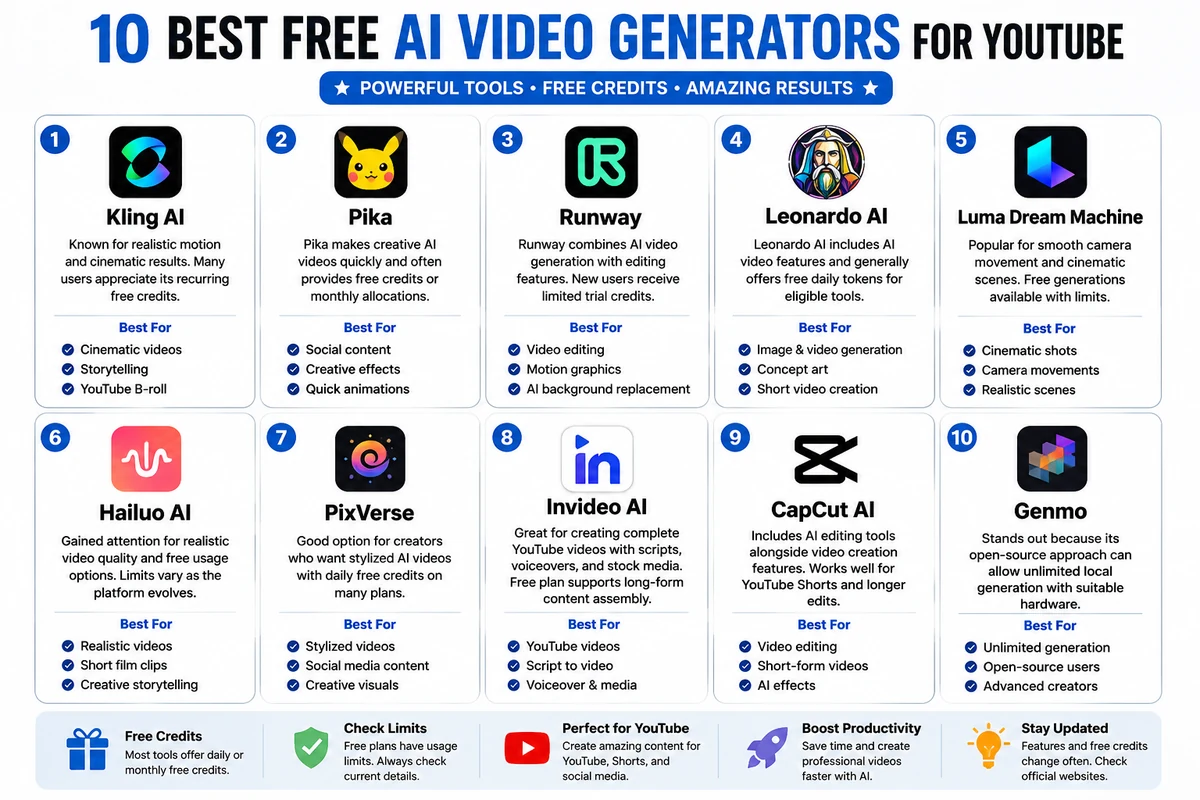
This guide highlights some of the best options.
Table of Contents
- Why Use Free AI Video Generator Tools?
- Best AI Image & Video Generator Tools
- Which Tool Is Best for YouTube?
- Tips to Save Free Credits
- FAQs
Why Use a Free AI Video Generator?
If you’re starting a YouTube channel, buying expensive AI subscriptions may not make sense.
Free credits let you:
- Test different AI models.
- Create YouTube intros.
- Generate B-roll.
- Design thumbnails.
- Produce animated scenes.
- Compare quality before paying.
As a result, you can build a workflow without a large upfront cost.
1. Kling AI
Kling AI is known for realistic motion and cinematic results. Many users appreciate its recurring free credits, although the exact allowance can change over time.
Best For
- Cinematic videos
- Storytelling
- YouTube B-roll
Pros
- High-quality motion
- Good realism
- Beginner-friendly
2. Pika
Pika makes creative AI videos quickly and often provides a free tier with recurring credits or monthly allocations, depending on current promotions.
Best For
- Social content
- Creative effects
- Quick animations
3. Runway
Runway combines AI video generation with editing features. New users typically receive a limited amount of trial credits to explore its capabilities.
Ideal for:
- Video editing
- Motion graphics
- AI background replacement
4. Leonardo AI
Leonardo AI started as an image-generation platform but now includes AI video features. It generally offers free daily tokens for eligible tools, making it useful for creators who need both images and short video generations.
5. Luma Dream Machine
Luma Dream Machine is popular for smooth camera movement and cinematic scenes. Free generations are available but usually come with usage limits.
6. Hailuo AI
Hailuo AI has gained attention because of its realistic video quality and free usage options. Availability and limits vary as the platform evolves.
7. PixVerse
PixVerse is a good option for creators who want stylized AI videos with daily free credits on many plans.
8. InVideo AI
If your goal is creating complete YouTube videos with scripts, voiceovers, and stock media, InVideo AI is worth considering. Its free plan is more suited to long-form content assembly than pure AI-generated scenes.
9. CapCut AI
CapCut includes AI editing tools alongside video creation features. It works well for YouTube Shorts and can also support longer edits.
10. Genmo
Genmo stands out because its open-source approach can allow unlimited local generation if you have suitable hardware.
Which Tool Is Best for YouTube Long Videos?
The answer depends on your workflow.
- Best overall quality: Kling AI
- Best creative effects: Pika
- Best editing: Runway
- Best all-in-one creator workflow: InVideo AI
- Best cinematic scenes: Luma Dream Machine
A practical approach is to generate short AI clips with one tool, create images with another, and assemble everything in a video editor for a complete YouTube video.
Tips to Make Free Credits Last Longer
- Plan your prompts before generating.
- Generate images first, then convert only the best ones into videos.
- Use lower resolutions while testing.
- Save successful prompts for reuse.
- Combine outputs from multiple platforms instead of relying on one.
Final Thoughts
Free AI tools continue to improve, and many now provide enough credits to experiment before committing to a subscription. Since free-tier limits change frequently, it’s a good idea to check each platform’s latest pricing page before building your workflow. By mixing image generators, video generators, and a capable editor, you can produce professional-looking YouTube content without a large initial investment.
FAQs
Which free AI video generator gives daily credits?
Platforms such as Kling AI and some others periodically offer recurring daily credits, although the amount can change over time.
Can I make YouTube videos for free with AI?
Yes. You can combine free AI image generators, free AI video generators, and free video editors to create YouTube content.
Which AI tool is best for image-to-video generation?
Kling AI, Pika, Luma Dream Machine, and Hailuo AI are among the most popular choices for image-to-video workflows.
Are free AI video generators suitable for commercial use?
It depends on the platform. Some free plans allow commercial use, while others restrict it or add watermarks. Always review the platform’s license before publishing.
Do free AI credits expire?
Many platforms reset credits daily or monthly, while some provide a one-time trial. The exact policy varies by service and may change over time and many ways to make money online